


Hamad Medical Corporation (HMC) has launched its new healthcare app, “Lbaih”, to provide its patients with enhanced services and convenient access to patient data.
Some notable services and features of the Lbaih app include managing appointments, viewing medical records and lab results, receiving appointment reminders, and innovative assessments of symptoms or conditions.
In this guide, the ILoveQatar.net (ILQ) team will walk you through everything you need to know and how to use the Lbaih mobile app!
Note: The Lbaih app provides access to Hamad Medical Corporation appointments and services only. For Primary Health Care Corporation (PHCC) appointments, use the Nar’aakom app.
What services are available on the Lbaih app?
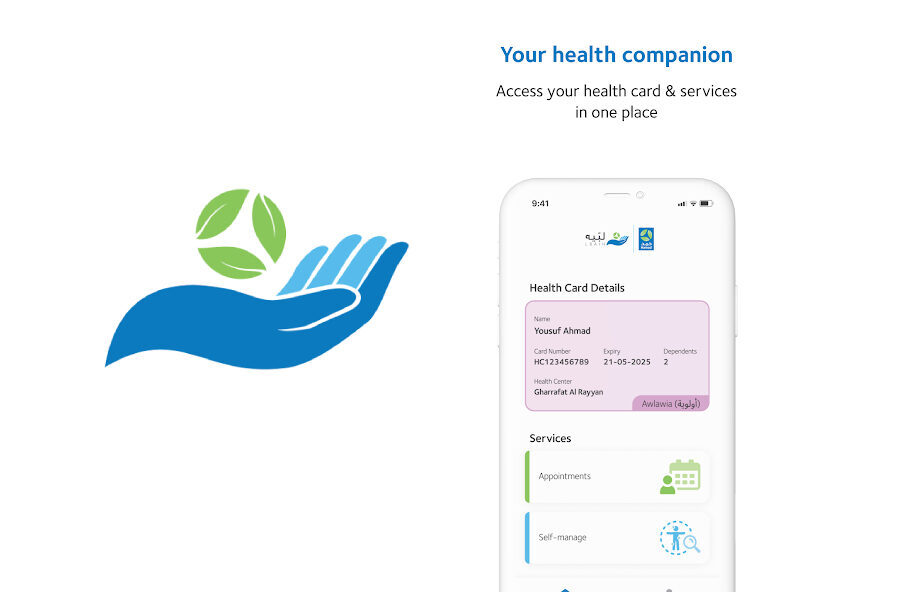
- Displays Hamad Health Card details
- Name
- Card Number
- Expiry
- Dependents
- Health Center
- Appointments – conveniently manage appointments
- Self-management – online health assessment using artificial intelligence
- MyHealth – access to medical records
How to reschedule or cancel appointments on the Lbaih app?
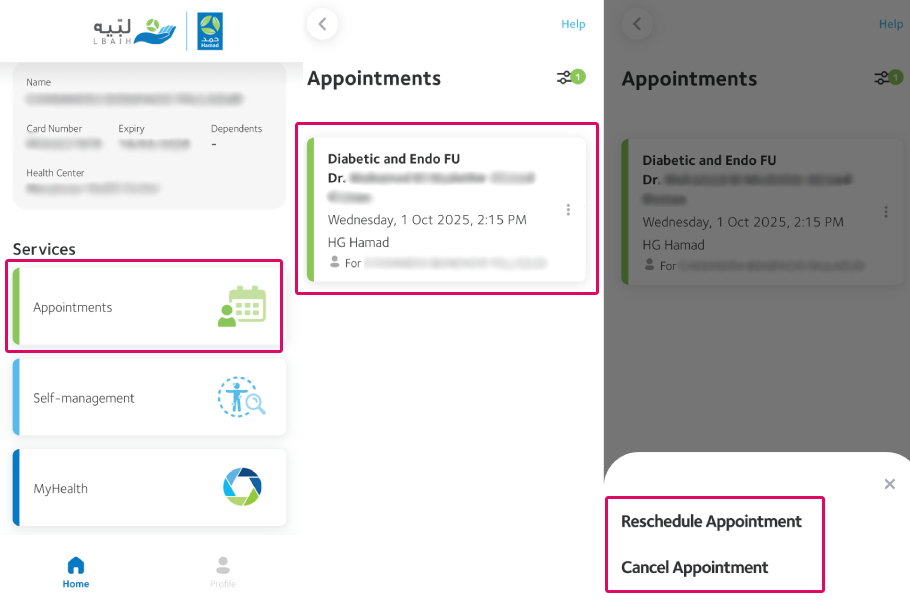
- From the Lbaih dashboard, click on “Appointments” under “Services”.
- Click the appointment to be managed.
- Select Reschedule or Cancel Appointment.
- A confirmation pop-up window will appear to create the request to reschedule/cancel the appointment. Click on “Proceed” to confirm.
Note:
- Once the request has been made, the patient will receive a call to confirm the reschedule or cancellation.
- The Lbaih app provides access to appointments at Hamad Medical Corporation’s medical facilities only. For PHCC appointments, check the Nar’aakom app.
- As of writing on 28 July 2025, users cannot request new appointments on the app, only rescheduling and cancellation of existing appointments.
How to access medical records on the Lbaih app?
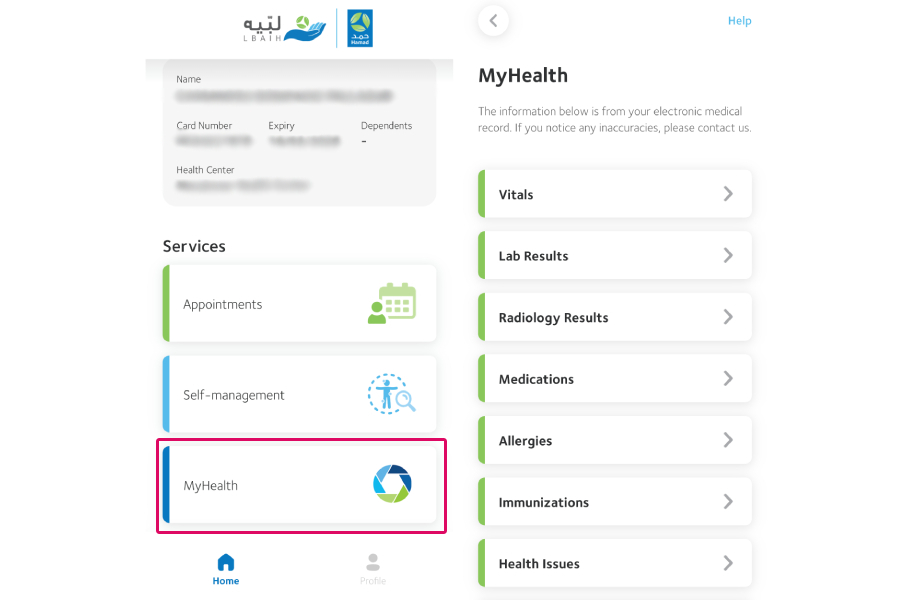
- From the dashboard, click “MyHealth” under “Services”.
- You will be taken to a page with the following medical records linked to your profile.
- Vitals
- Lab Results
- Radiology Results
- Medication
- Allergies
- Immunizations
- Health Issues
- Procedures
Note: Medical records on the Lbaih app include data from appointments at both HMC and PHCC facilities.
How to get an online health assessment on the Lbaih app?
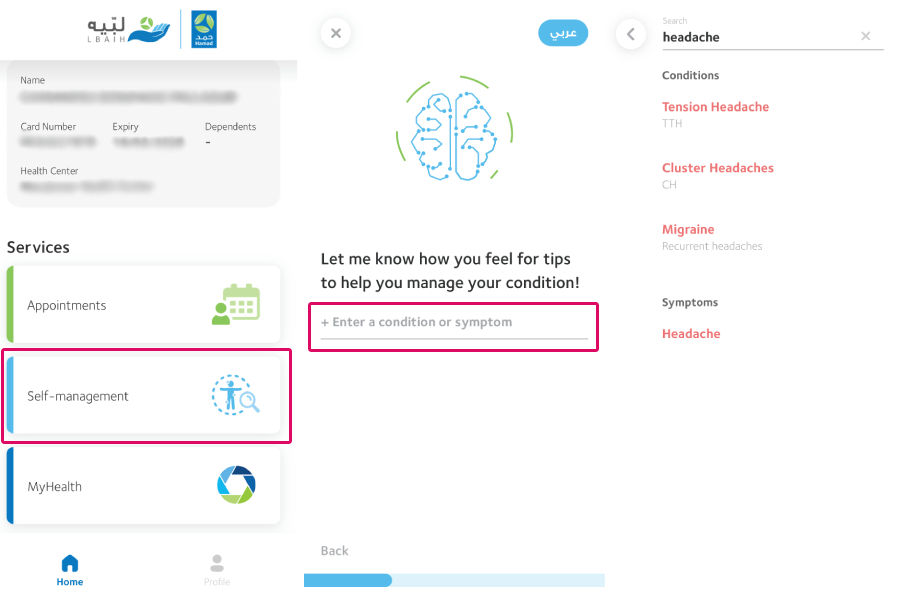
If you’re feeling unwell and are experiencing symptoms, you can get a health assessment on the Lbaih application. Assessments are conducted using artificial intelligence to identify the issue and provide tips on managing your condition.
1. From the dashboard, select “Self-management” under “Services”.
2. Enter the condition or symptom.
3. Select the applicable condition.
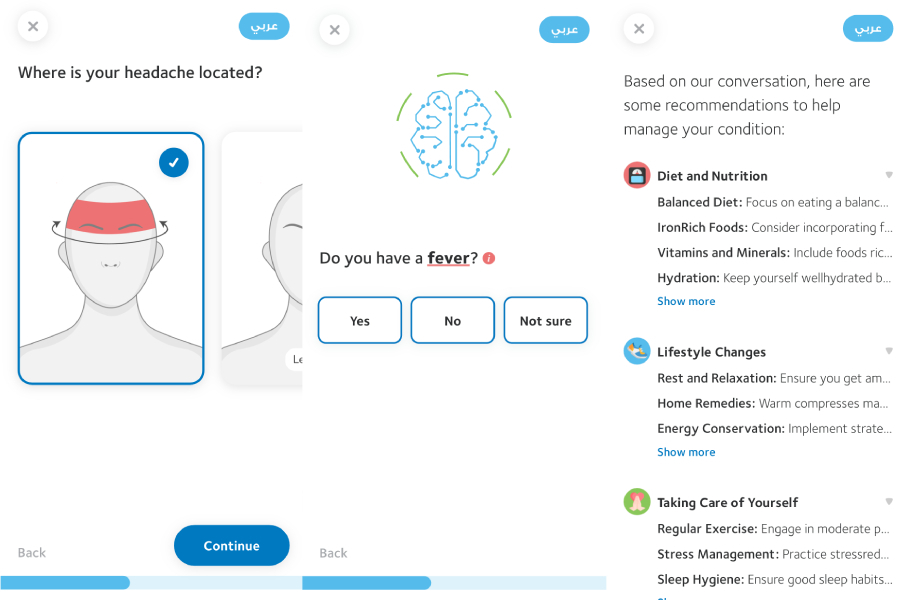
4. You will be asked a series of follow-up questions. Answer as honestly as possible.
5. Once the app has collected enough data through your answers, it will provide you with a list of suggestions on how to manage your condition.
Where to download Lbaih app?
Download “Lbaih”, register in simple steps, follow the easy instructions, and benefit from all the services.
Now available on Android and iOS devices. pic.twitter.com/h3MOcflf75
— مؤسسة حمد الطبية (@HMC_Qatar) July 27, 2025
Note: Users can log in using the National Authentication System (Tawtheeq). After initial login, you can enable biometric login for easier use in the future.
RELATED:
Have you downloaded the Lbaih app yet? How was your experience with it? Let us know in the comments! Do share this article – it keeps us going!
Follow us on our social media channels: Follow ILoveQatar on Instagram @ILQlive
 Follow ILoveQatar on Twitter @ILQlive
 Follow ILoveQatar on Facebook @ILoveQtr
 Subscribe to ILoveQatar on YouTube ILoveQatar
link